
Roles
- User/ Field Researcher
- User Interviewer
- Persona, User Flow & Journey Map Creator
- Wireframing & Prototyping
- Graphic Designer
- Project Manager
- UI Designer
Overview
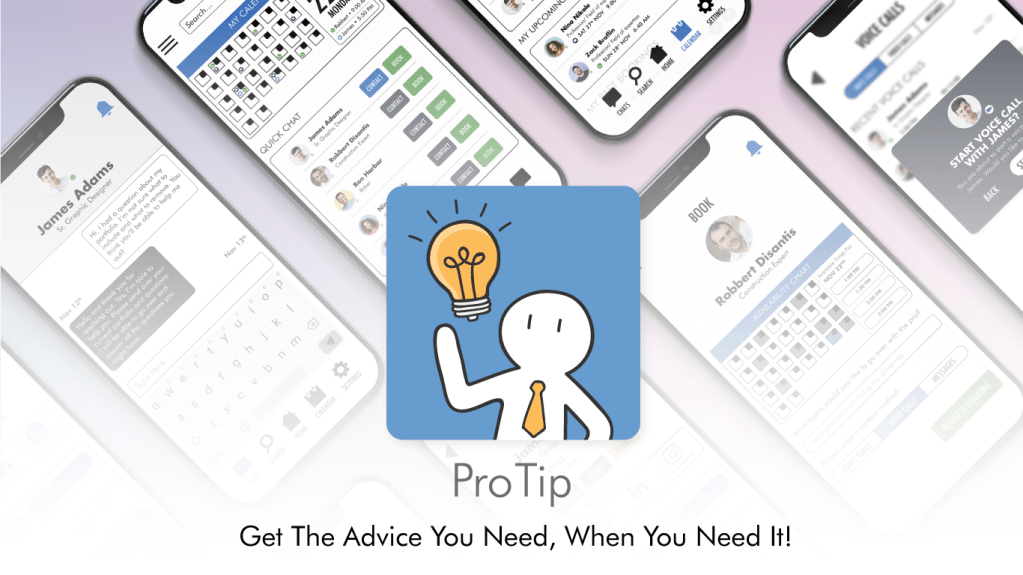
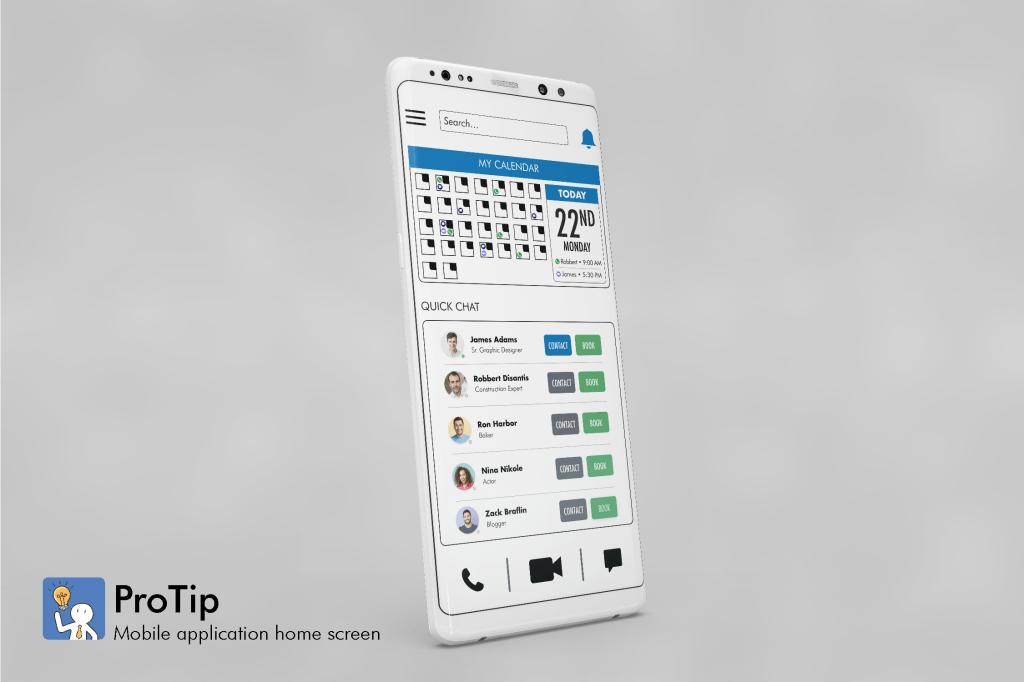
ProTip is a developing mobile application that focuses on putting users who seek professional advice (in nearly every industry!) in touch with people who can help them. These industry professionals will be compensated accordingly to a tier-based system for their time and experience.
Problem Statement
Users seeking professional advice need convenient ways to connect to industry professionals through a trustable source, so they can make decisions with a professional’s advice and POV. We’ll know this to be true when we see how many users are connecting with industry professionals to seek their advice via different methods, to solve their issues.
The Results
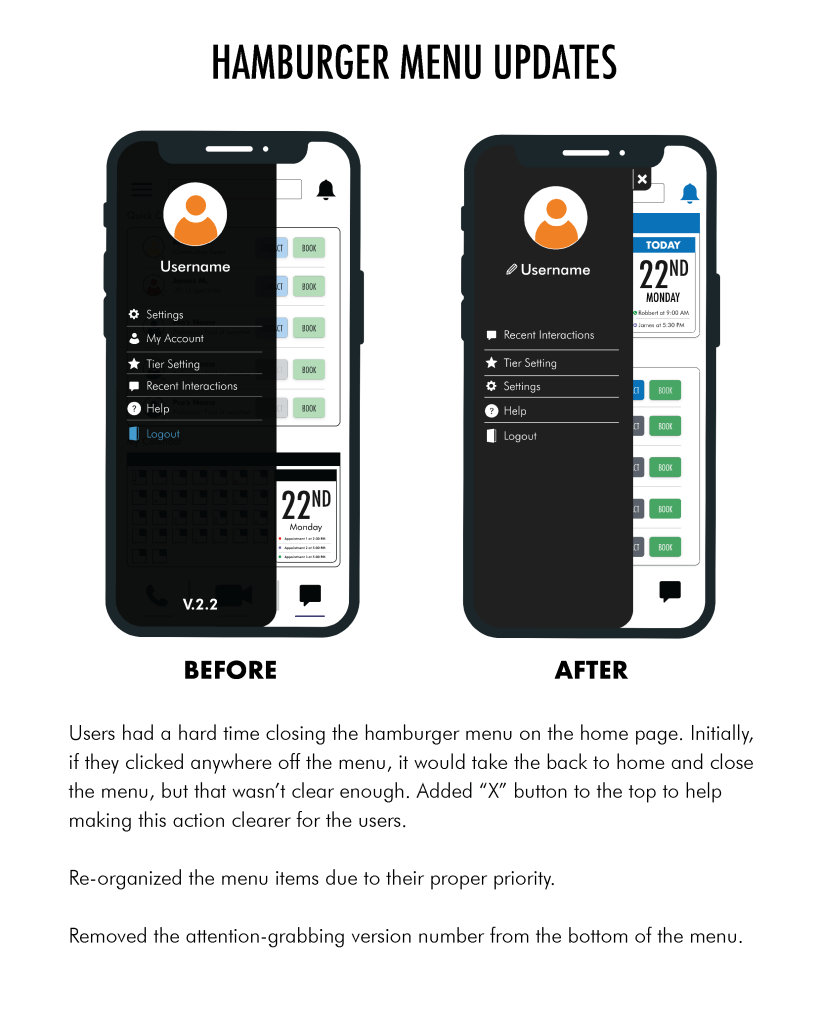
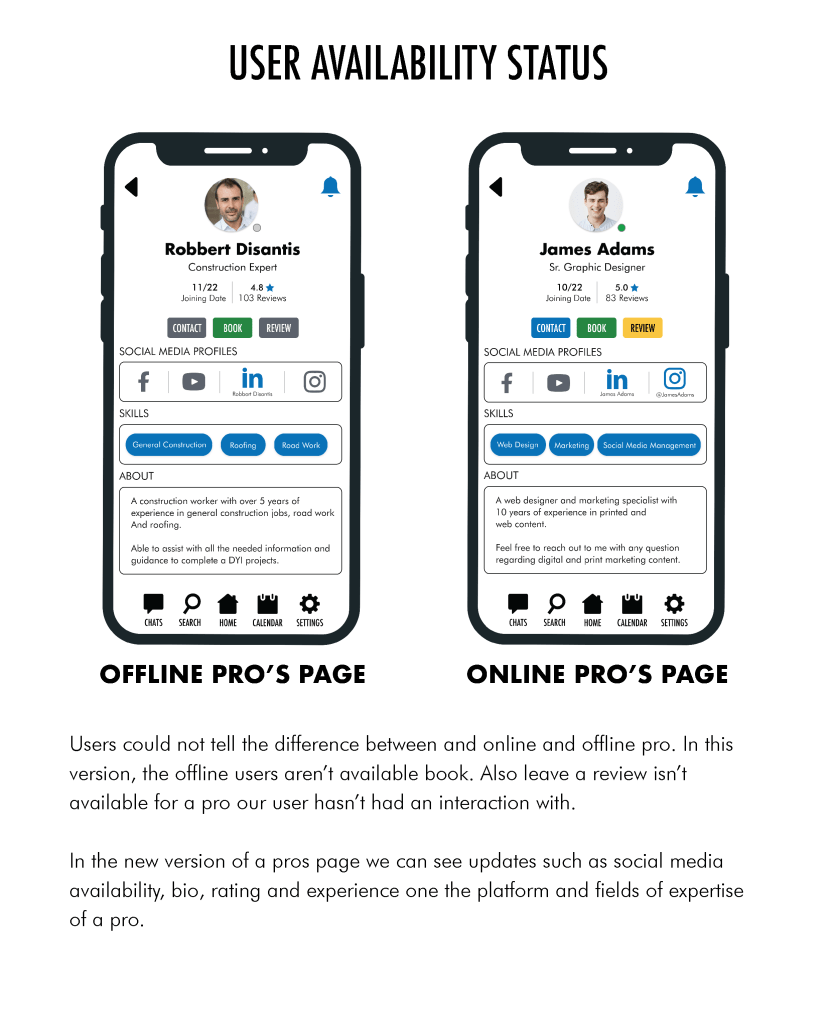
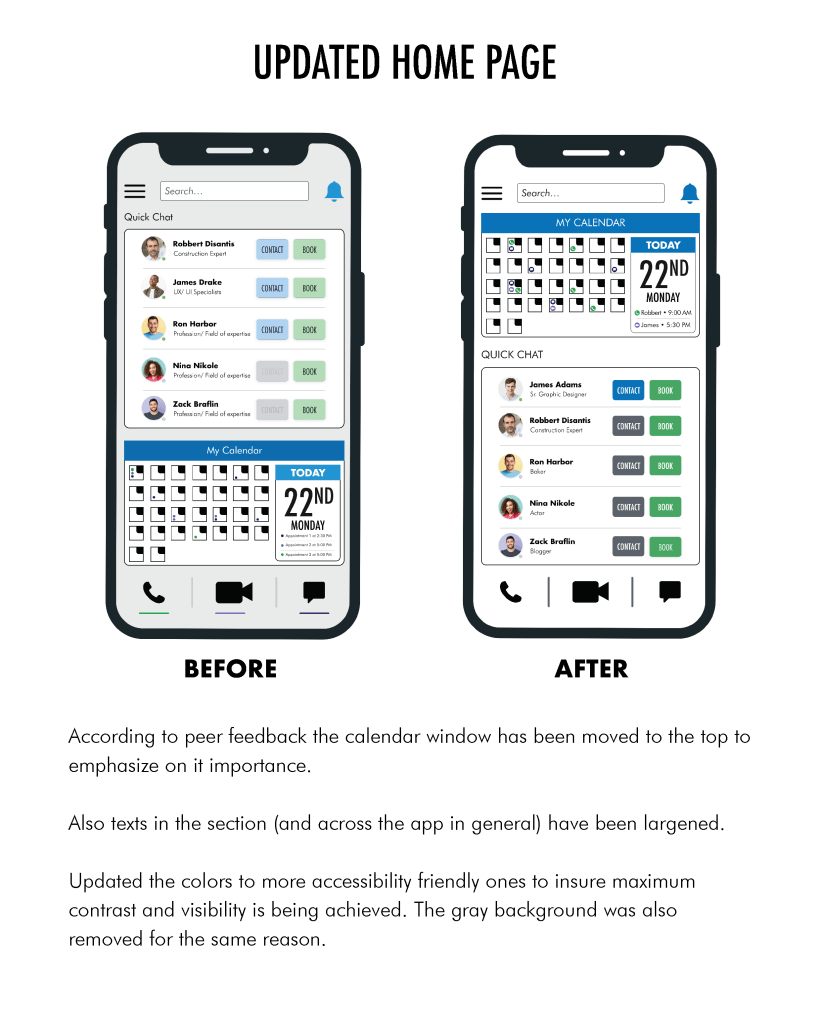
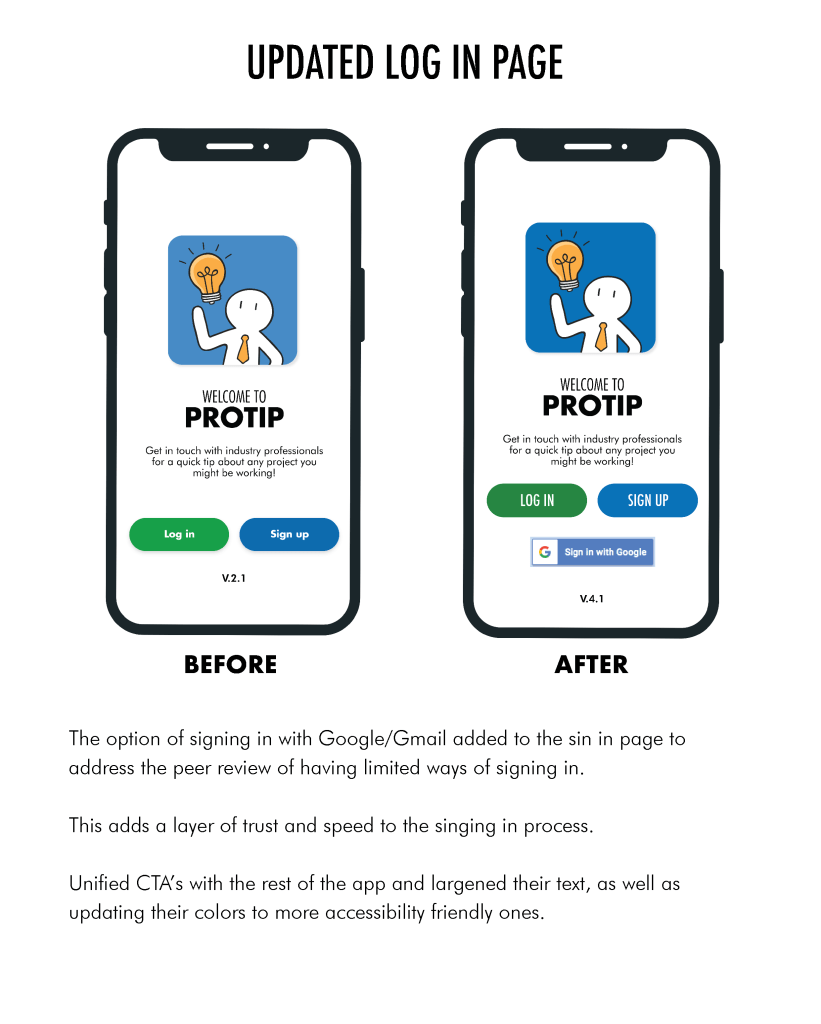
I played many parts during the development cycle of this project, but the most challenging and learning section was receiving feedback on the various states of my prototype from my user testing sessions and trying with to come up with ways to fix the highlighted issues. Issues such as the app resembling social media apps too much, home page looking too busy, confusing navigation and general feedback on reorganizing the layout and UI. The following are a few examples of highlighted issues and how I fixed them to curate a more user friendly interface.
Competitive Analysis
It’s very important to do as much research as possible before getting started on any new project. Instead of obvious competitors like Google or LinkedIn, I went with less know options to gain some more insights. I reviewed Yellow Pages Local and SeekEx, two mobile apps that focus on putting users in touch with professionals who can help them but in different ways. Studying these two apps gave me a pretty good understand of what I should aim towards making and starting point.
“A Century-long Legacy”
yp.ca/
“A platform for end-to-end career guidance.”
seekex.in/
Research & Interviews
To build the perfect professional advice sharing application, I needed to understand these advice seekers and providers first. I like to stay in touch with our users and get to know their feelings about our project as much as possible, specially at the start. I went out of my way to do most of my interviews in-person. Because of that I was able to monitor them during deferent cycles of user interview and tests. After pinpointing what works and what doesn’t, I was able to confirm my suspicions with surveys and pilling up data gained from these sessions.
Interview Question Samples
What is the most recent new skill you had to pick up?How did you learn? were you happy with the way you acquired this new skill?
How comfortable are you while dealing with your tech, computer and mobile devices?
How about dealing with people and asking for their advice and input? Are you comfortably a people person?
When looking for a solution to your problem online, what do you gravitate more towards? For example, if you’re looking for a hint while trying a new recipe: would you find a YouTube video or find a detailed written reddit post? Why is that your preference?
What are some of the advantages or pain points of this method? How would you see them fixed?
Crafted User Personas
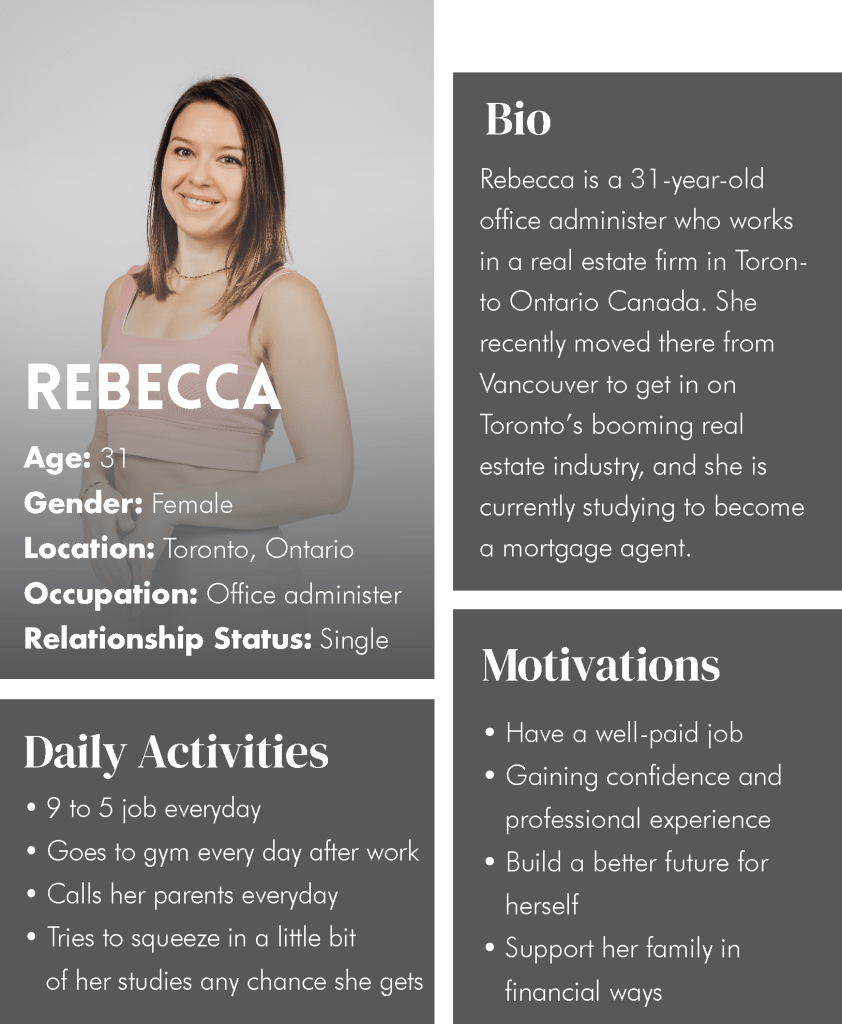
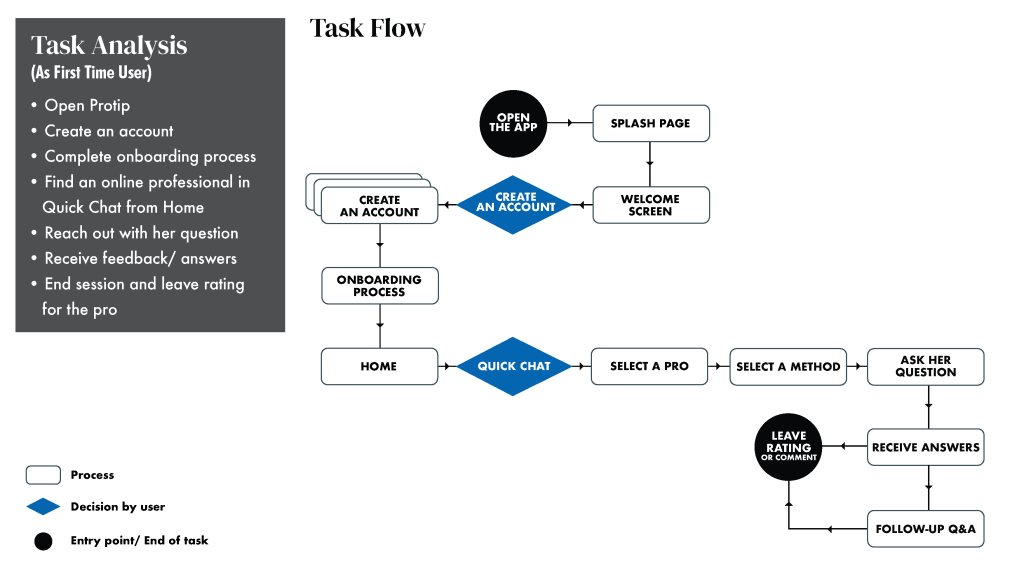
I created two personas to help me narrow down the users I’m designing for. I tried my best to create characters and give them personalities, habits and lives based on my understanding of my user base to help me design for them. I went as far as creating user flows and task analysis of them interacting with my app.
Task Flow Sample
Wireframes
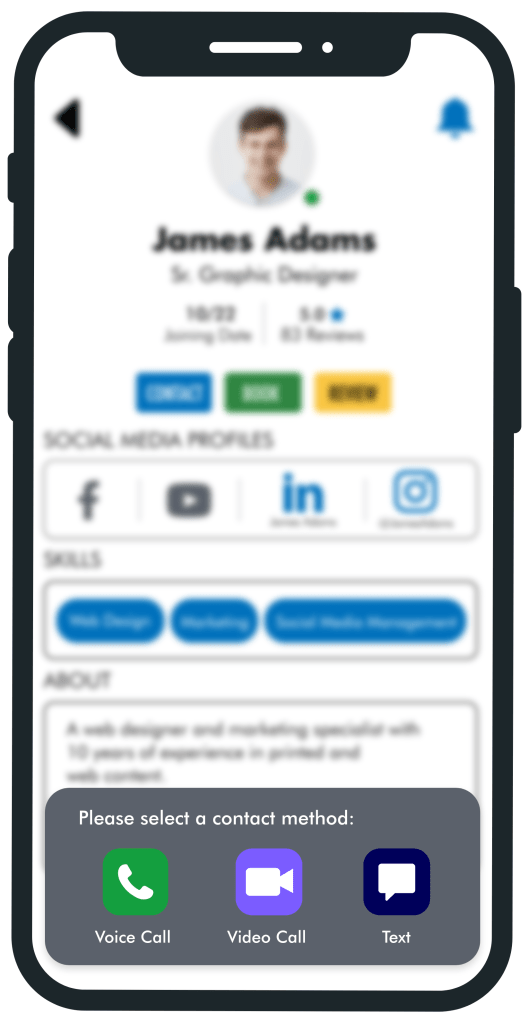
With my beginning rounds of my field research and personas in mind, I was ready to start putting together the first iteration of my app. You can see the evolution of ProTip from rapid prototyping stages using pen and paper to a fully clickable and interactive prototype during the development stages.
Low-Fidelity Wireframes
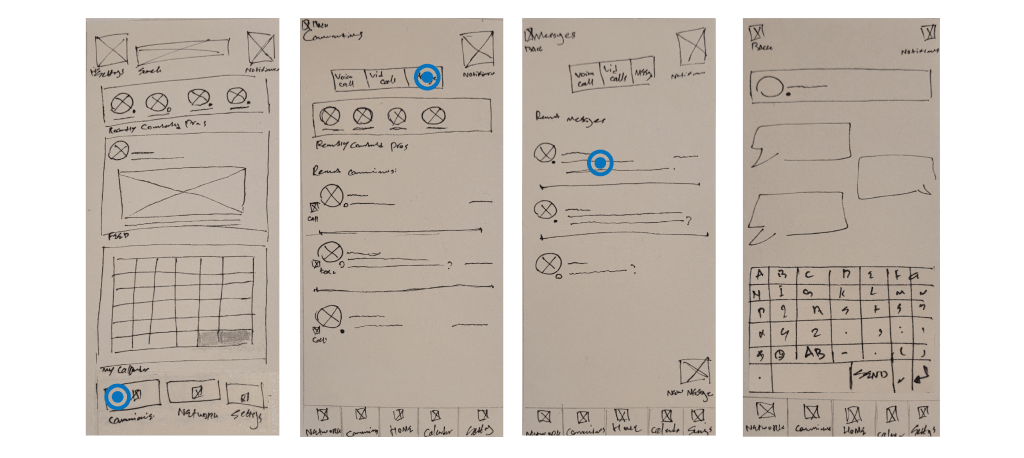
Sending A Text Message On Low-Fidelity Wireframes, Sketched Using Pen & Paper
Mid-Fidelity Wireframes
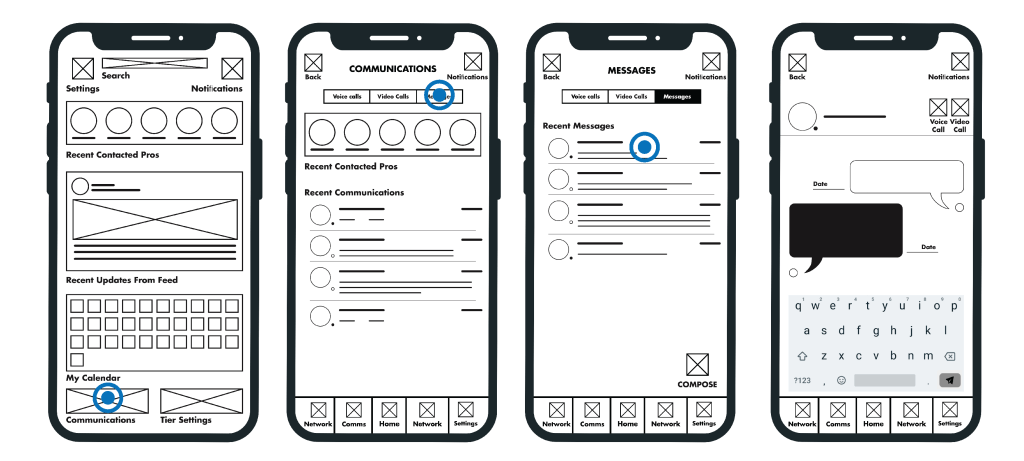
Sending A Text Message On Mid-Fidelity Wireframes, Created Using Adobe Illustrator
High-Fidelity Wireframes
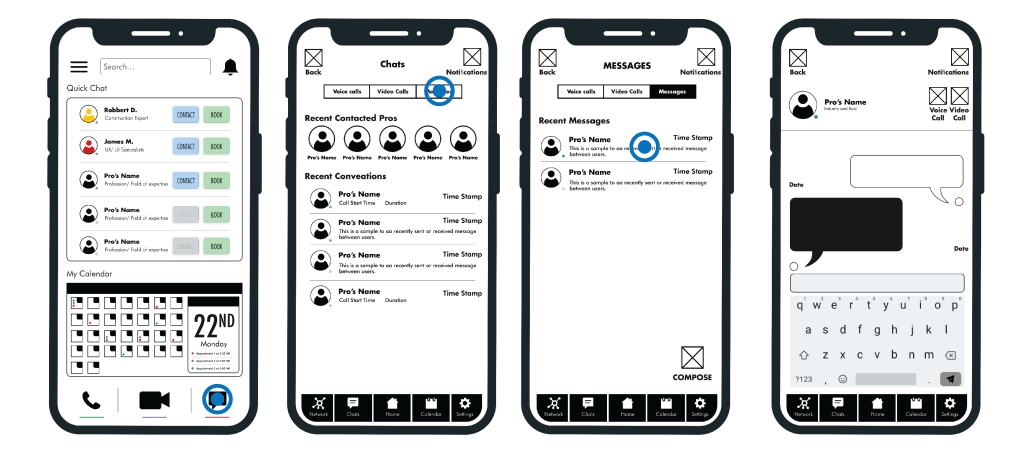
Sending A Text Message On High-Fidelity Wireframes, Created Using Adobe Xd
Finalized Prototype V.4.1
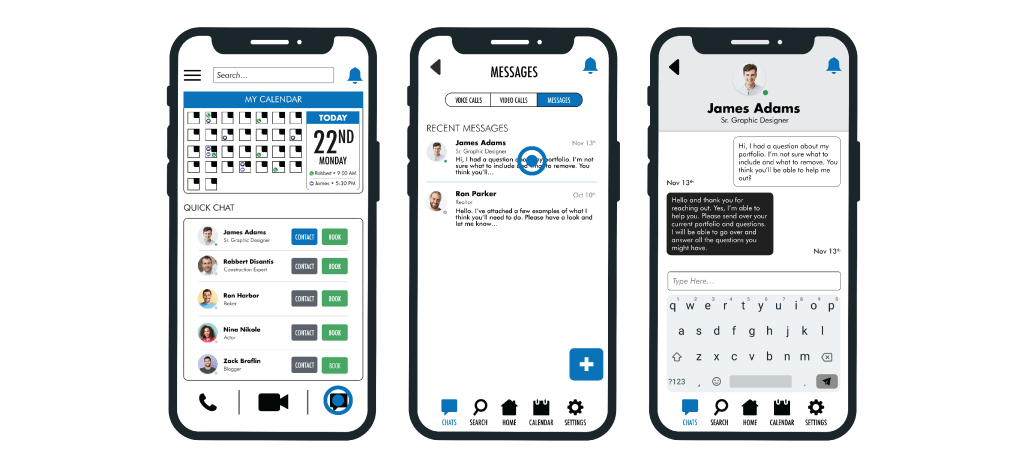
Sending A Text Message On The Most Recent Version of My Prototype, Created Using Adobe Xd
Testing The First Version of My Prototype
Feedback Rainbow Spreadsheet
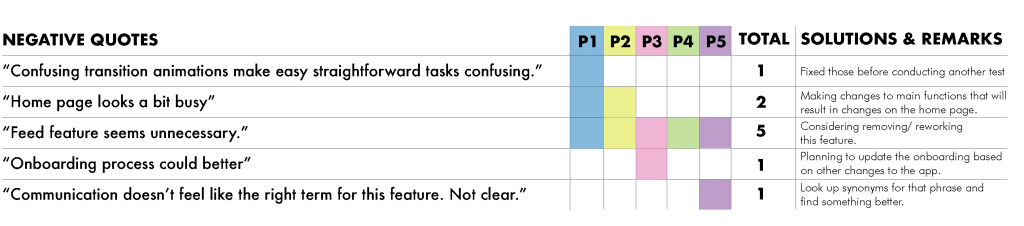
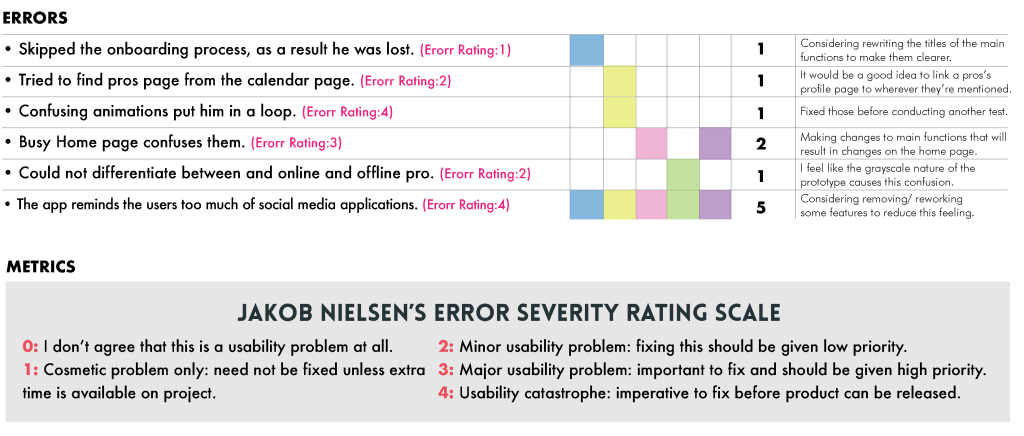
Discovered Major Issues from The First Round of Testing
• THE APP REMINDS USERS OF SOCIAL MEDIA APPS
• THE FEED FEATURE SEEMS USELESS TO THE USERS
• HOME PAGE LOOKS TOO BUSY
• CONFUSING VOCABULARY
• CONFUSING AND WRONG TRANSITION ANIMATIONS BETWEEN THE PAGES
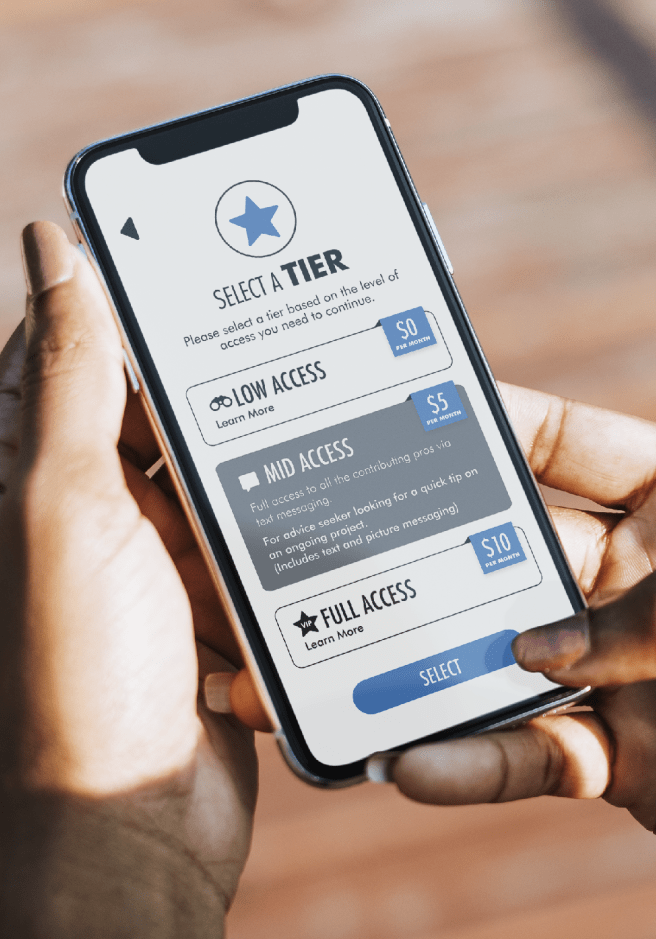
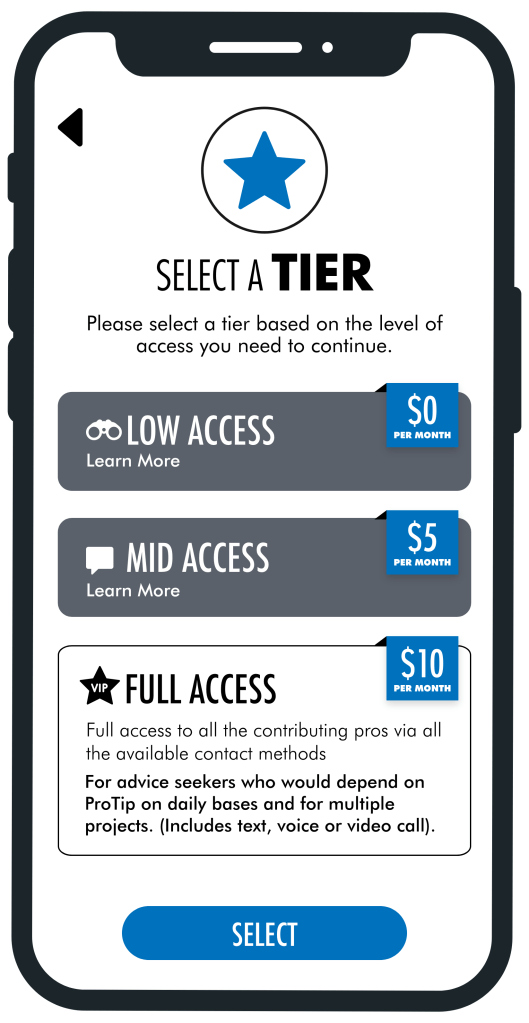
• SET UP A TIER-BASED SYSTEM TO PAY THE CONTRIBUTING PROS
A/B Testing
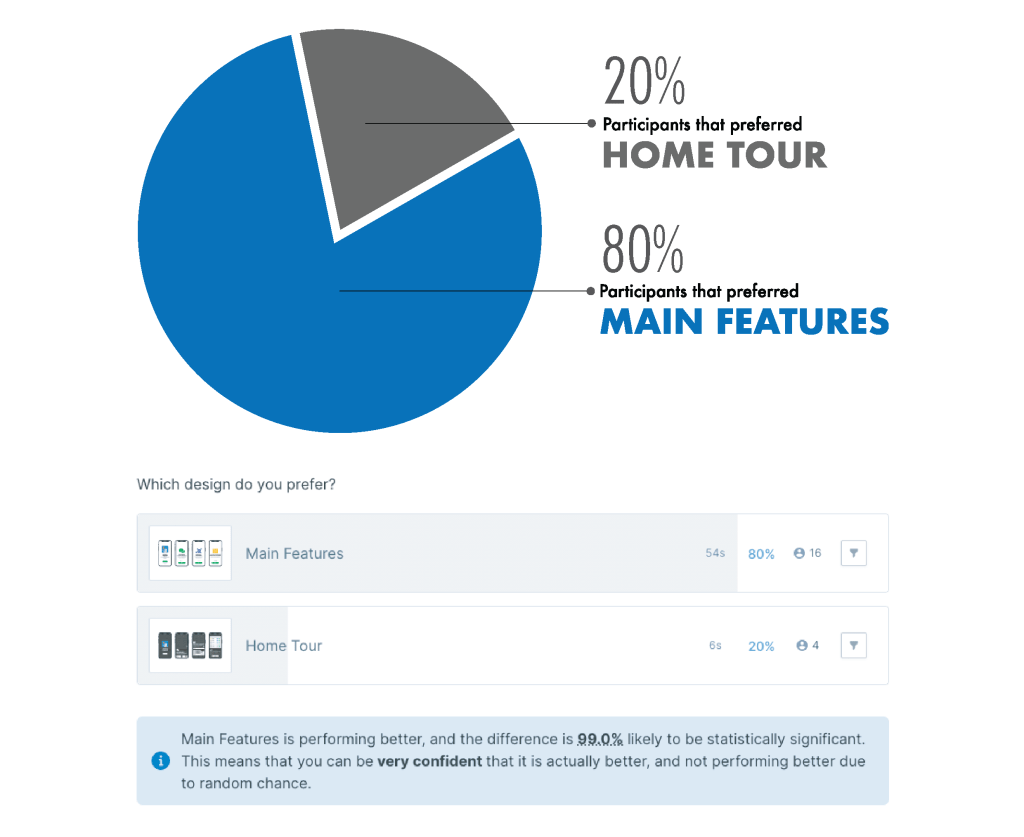
I wasn’t sure which style of onboarding process works better for my app, so I used usabilityhub.com to conduct a test for my users. I created two sets images featuring my two deferent Onboarding processes. These two sets feature some different wording, grammar and visuals in places, but at the core the achieve the same goal. I asked them to select and option, and as I follow-up I proposed the question “Why did you choose this style of onboarding process?”.
Polished UI Design
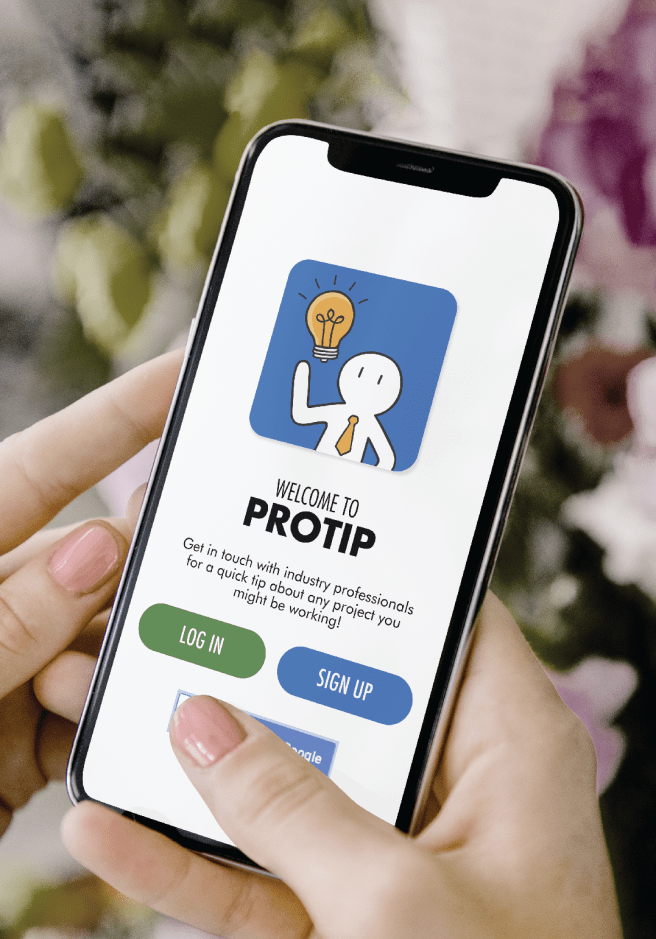
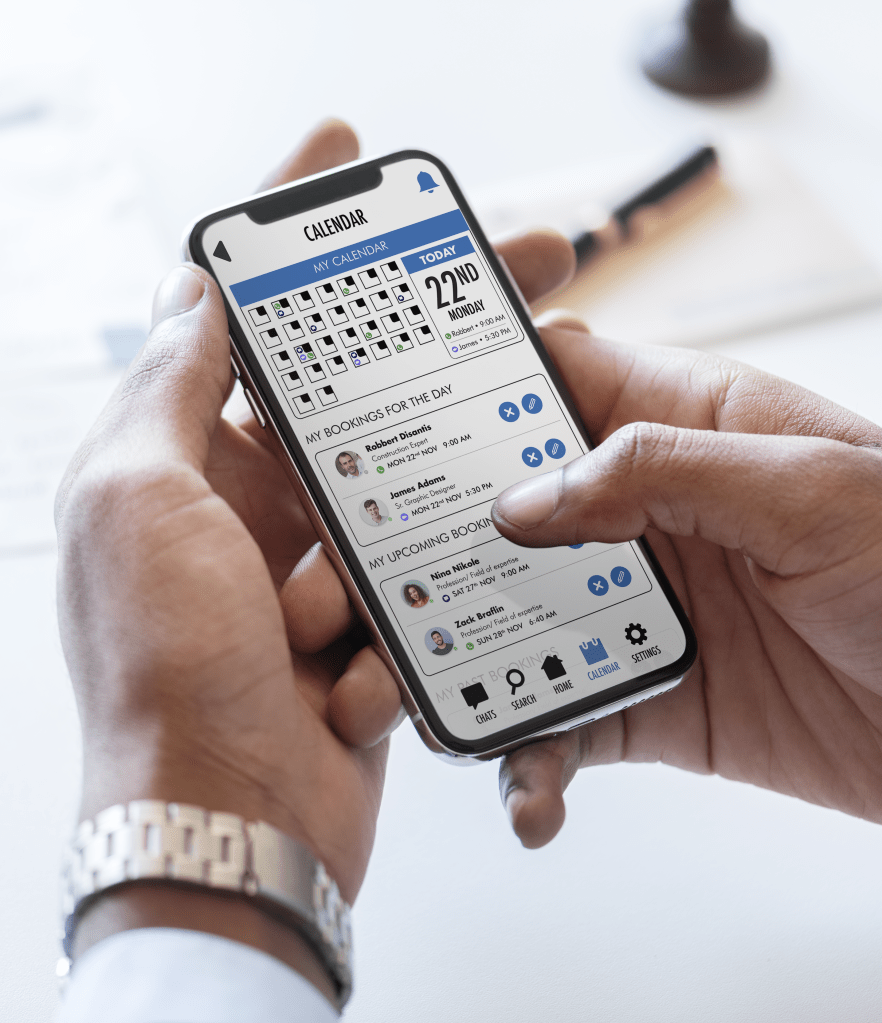
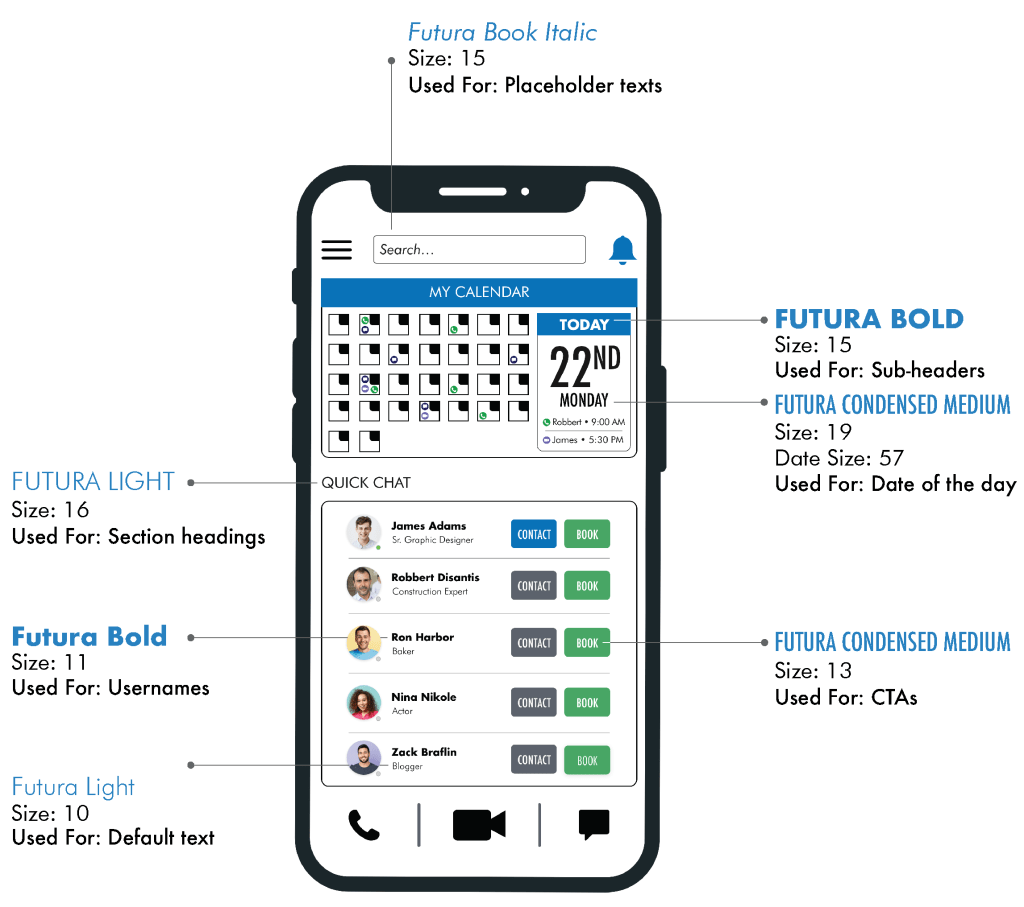
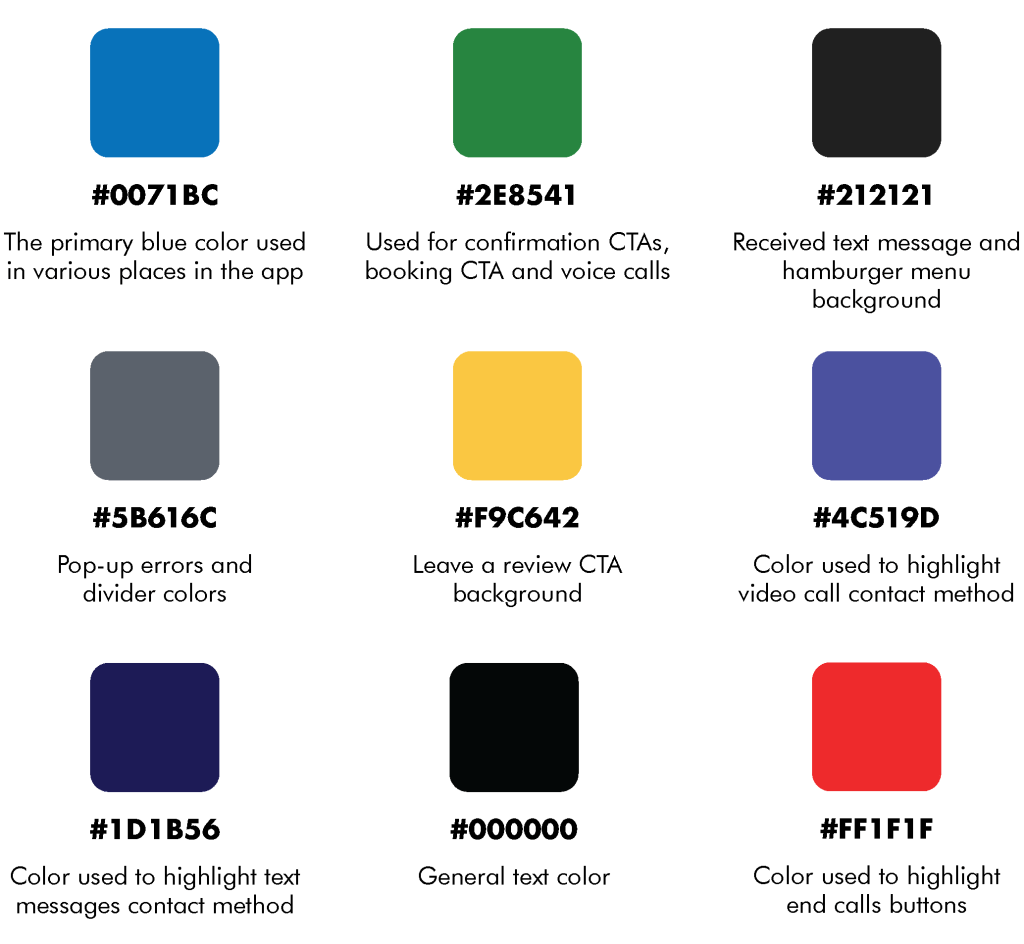
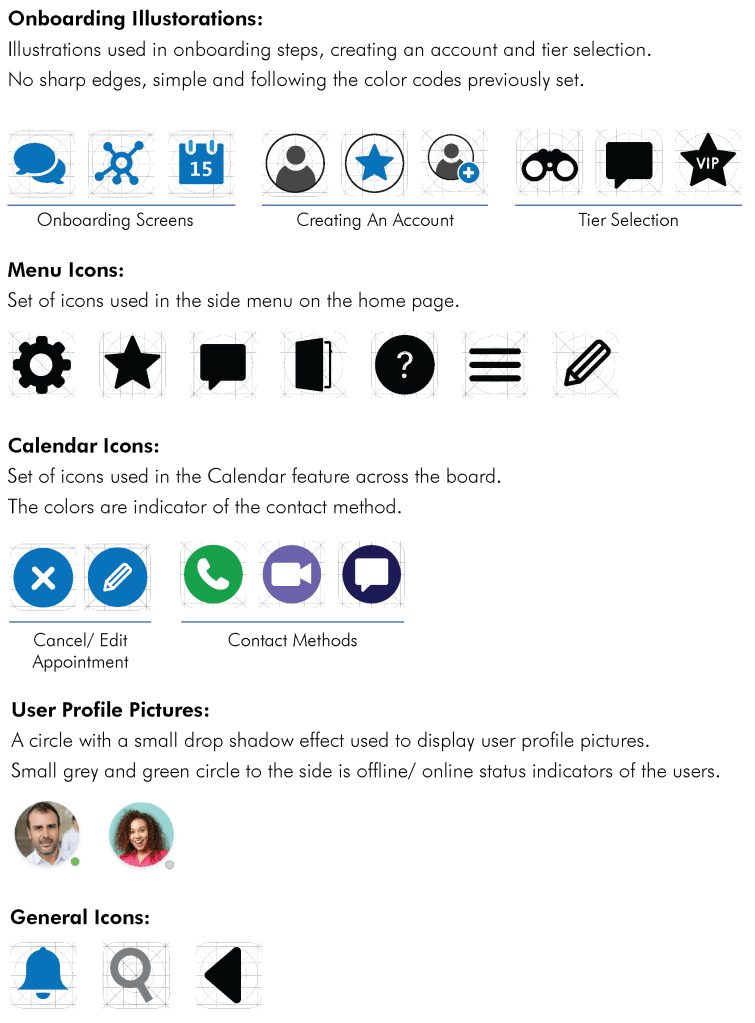
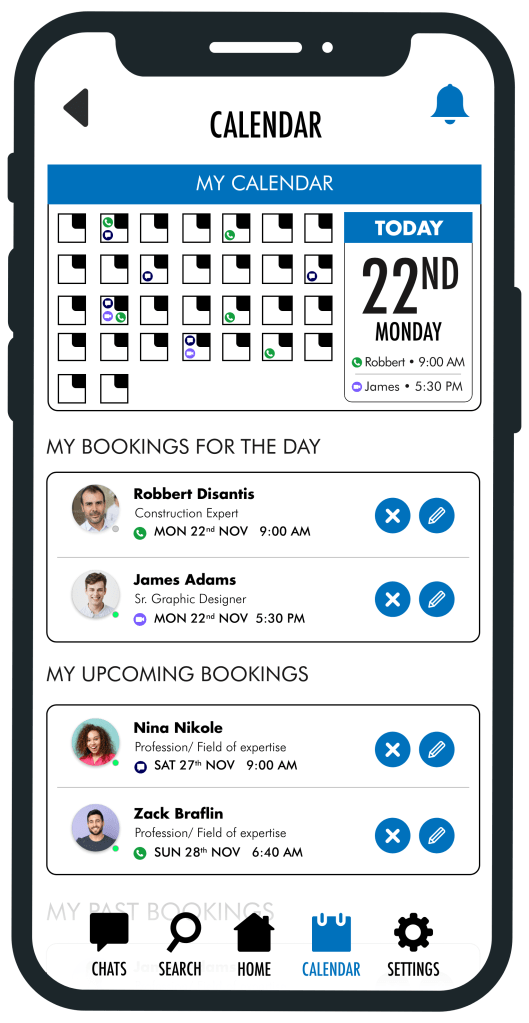
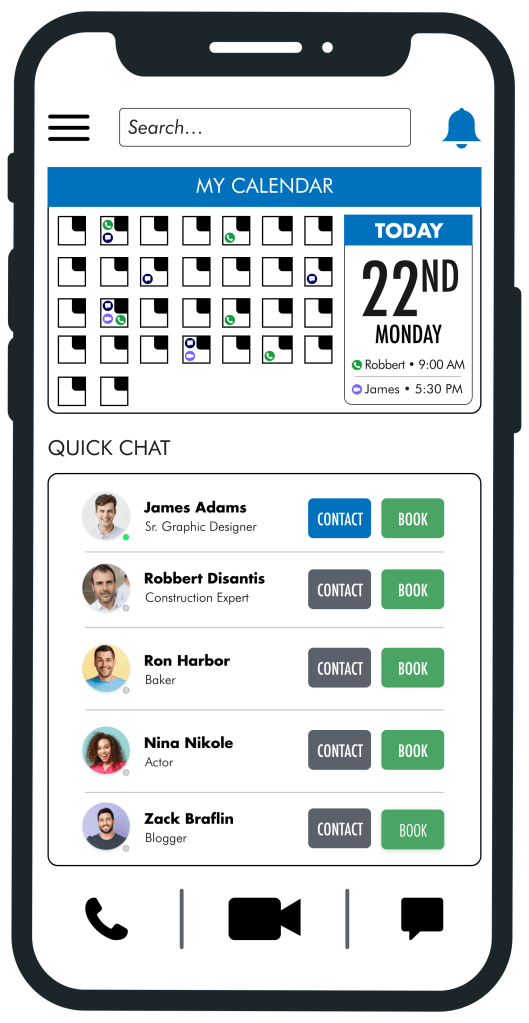
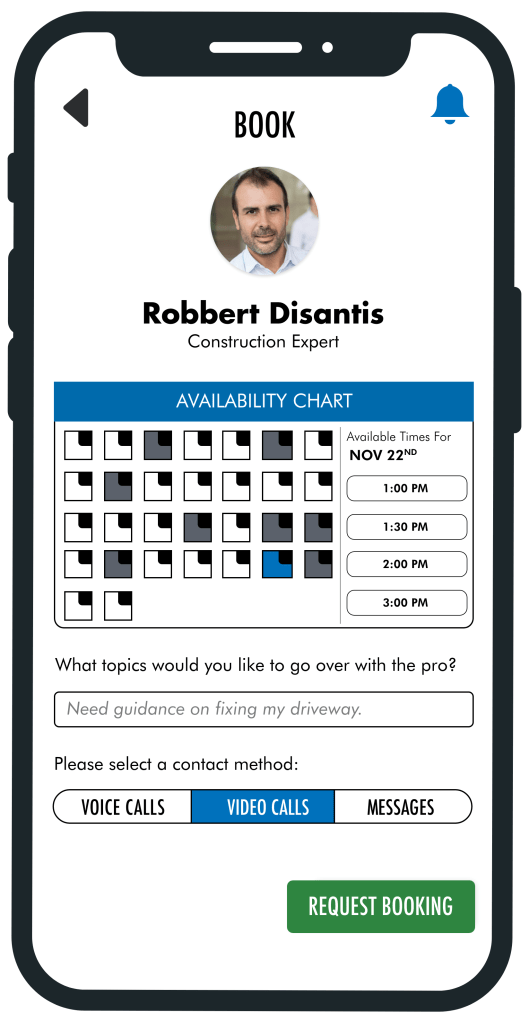
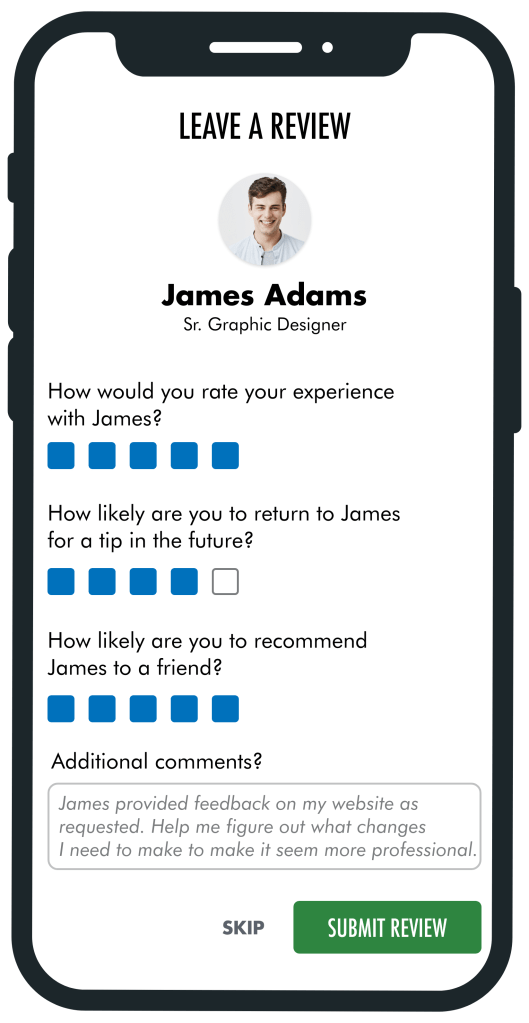
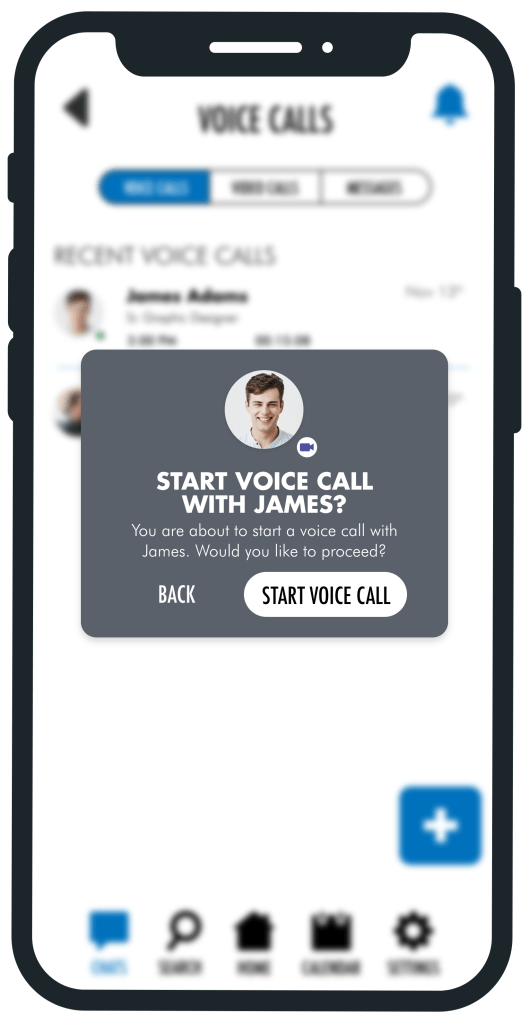
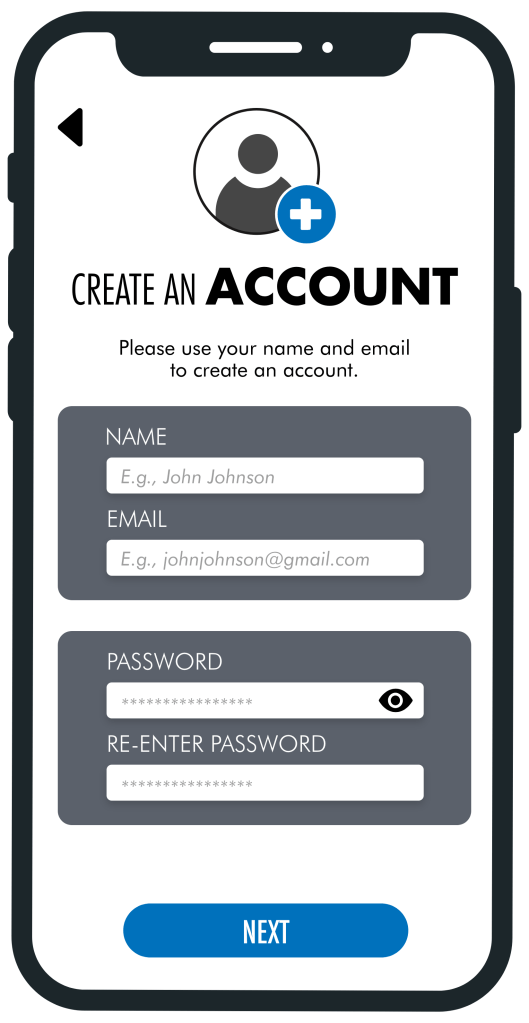
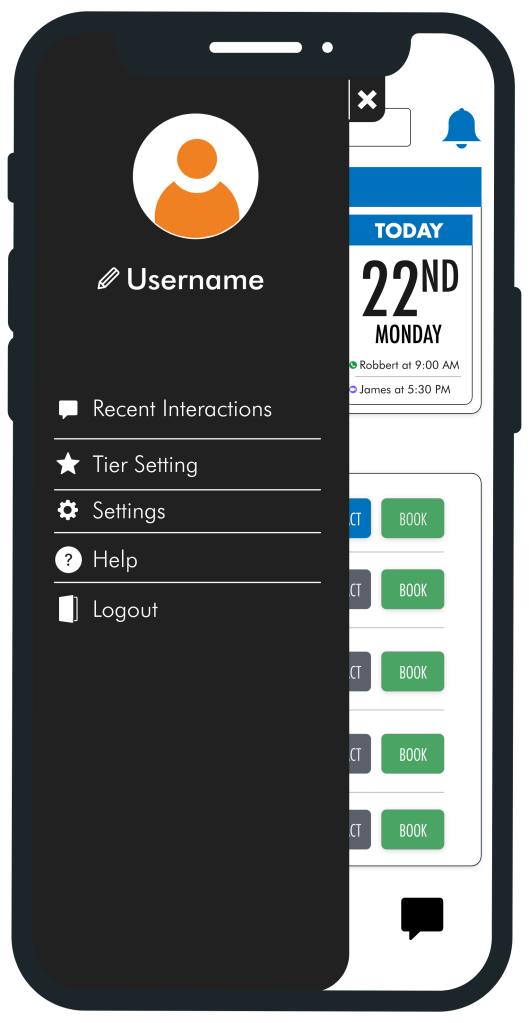
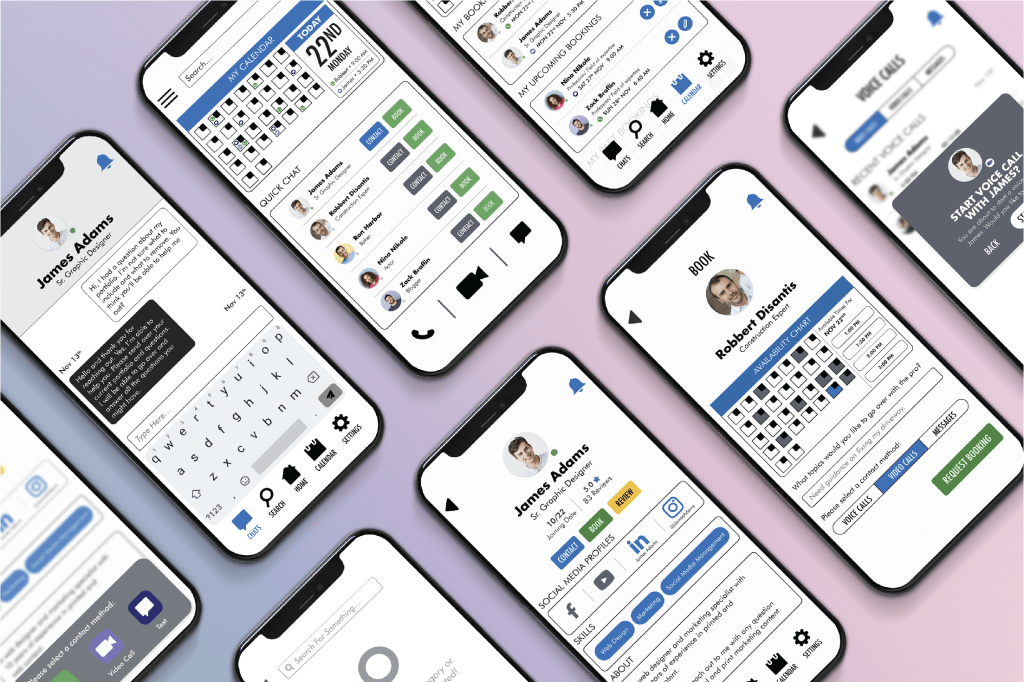
Reaching version 4.1 of my app, I had finalized my designs and function. I at this stage I put together finishing touches such as creating consistency through the app and creating an accessibility friendly color scheme. I developed ProTips brand identity, voice, and guidelines. This is the final results of all my research and development coming together.
Typography
Color Scheme
Imagery, Illustration & Icons
Interested in Learning More About Me?
To learn more about my professional experiences and get in touch with me, please click the link below to access my LinkedIn page.
 Soheil Khavari